

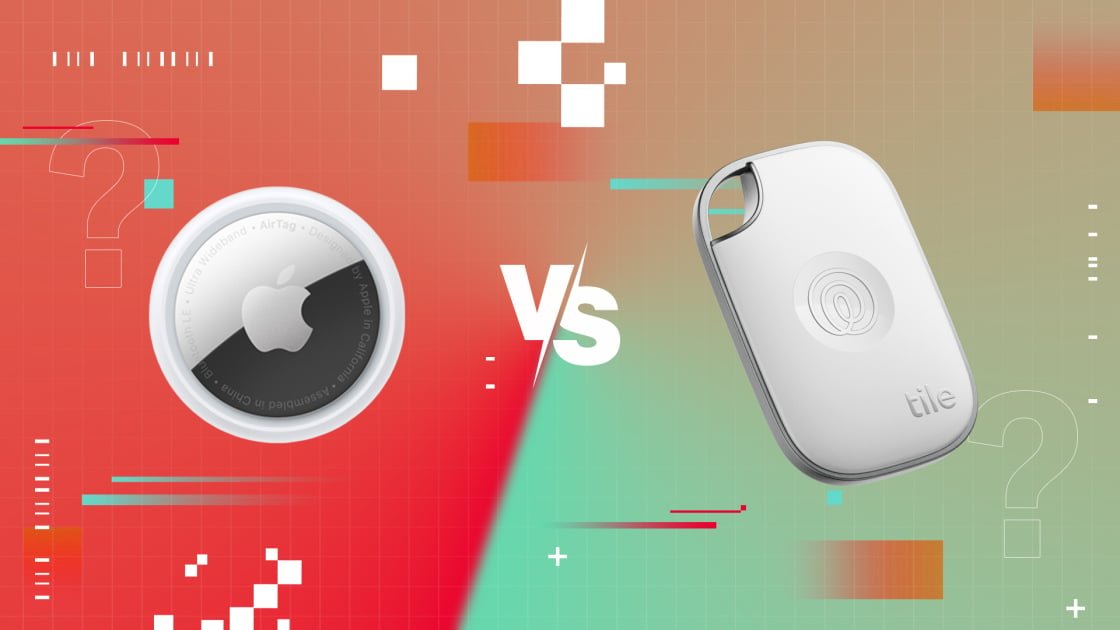
If you are in the market for a Bluetooth tracker, you are likely weighing the pros and cons of an AirTag versus a Tile. While Apple brought this product category into the mainstream with the AirTag, Tile—now a subsidiary of the family-tracking firm Life360—has been operating in this space for much longer and provides a broader selection of hardware. So, how do you decide? We have evaluated the second-generation AirTag alongside the entire Tile lineup, and we have gathered all the essential details to help you determine which device is best suited for keeping track of your belongings.
Neither the latest AirTag nor a Tile tracker will be a major financial burden. A single AirTag is priced at $29, while a four-pack is available for $99. However, you must still purchase a separate loop or strap to secure the tag to your items. Apple offers a variety of official accessories, ranging from $12.95 key rings to $39.99 multi-packs from brands like Belkin or OtterBox. Alternatively, third-party options on Amazon are significantly more affordable.
Tile’s product range is more diverse. The standard Tile is among the most budget-friendly options, priced between $24.99 and $27.99 depending on the color. It is similar in size to the AirTag and includes a built-in hole for a key ring. The rest of the lineup includes the larger Tile Pro ($34.99), the credit-card-sized Tile Slim ($29.99), and the highly versatile Tile Sticker ($24.99). While you do not need extra accessories to attach these trackers to your belongings, you must pay for a Premium subscription ($29.99 annually) to unlock several key features.
The Tile Slim, Tile, Pro, and Sticker models all carry an IP68 rating, meaning they are fully resistant to both dust and water. The AirTag holds a slightly lower IP67 rating, which still provides adequate protection against brief submersion in shallow water. The AirTag and the Tile Pro feature user-replaceable batteries, whereas the remainder of the Tile collection uses non-replaceable batteries that the manufacturer estimates will last roughly three years, though actual performance may vary.
Compatibility is the most critical factor to weigh when selecting a Bluetooth tracker. Ultimately, a tracker is ineffective if it does not pair with your specific device.
AirTags are exclusively compatible with devices running iOS, iPadOS, and watchOS, meaning you must own an iPhone, iPad, or Apple Watch to utilize them. The AirTag’s standout feature, Precision Finding—which leverages an ultra-wideband (UWB) chip to provide turn-by-turn navigation—requires an iPhone 11 or newer. You can also opt to receive AirTag alerts across your various Apple devices.
Conversely, Tile provides apps for both Android and iOS, ensuring its trackers work with almost any modern smartphone. For Android users, Tile is one of the best available solutions. It is worth noting that the Samsung Galaxy SmartTag 2 is aeached the same level of ubiquity as the AirTag or Tile
Apple maintains a clear advantage regarding location accuracy for several reasons, most notably the aforementioned UWB support, which allows for precise guidance to your lost item. Because AirTags utilize the Find My app integrated into every iPhone and iPad, they leverage a much more extensive network of users than Tile. Apple’s Find My Network consists of hundreds of millions of Apple devices.
Tile’s trackers rely on Bluetooth and the company’s own user network to help you locate misplaced items. However, Tile does not currently offer a UWB-enabled tracker and instead requires users to install an app and voluntarily join its location network. Life360 reports that it has over 95 million users and that one in nine families utilizes the Life360 app.
In our testing, we were able to recover lost items much more quickly using the AirTag compared to any of the Tile models. While the Tile Pro took approximately an hour to pinpoint a lost item, the AirTag required only a minute. Furthermore, while the AirTag provides directional guidance to lead you directly to your item, the Tile app only indicates whether you are moving closer or further away. That distinction alone makes the AirTag the superior choice for Apple users.
Apple’s Find My app is more polished and intuitive than the Tile interface. Beyond your iPhone, iPad, or Mac, you can access it via any web browser, as well as through a HomePod or HomePod mini. If you use an iPhone 11 or later, or an Apple Watch Series 9 or newer, you can utilize the Precision Finding feature for turn-by-turn directions to your item. Additionally, if you leave an item behind that has an AirTag attached, you will receive a notification on your iPhone or watch once it moves out of range.
Setting up an AirTag is straightforward. Simply hold the device near your iPhone or iPad, and a prompt will appear to guide you through the remaining steps, which mostly involve naming the tracker.
Configuring a Tile tracker is slightly more involved. You must download the Tile app, register an account, and adjust your phone’s permissions. From there, you tap an icon to add a new Tile to the app and press a button on the physical tracker. Finally, you must name the device and assign it an icon.
The Tile app displays your tracker’s location and allows you to enable lost mode if the item is out of range. For $29.99 per year, a Premium membership provides access to features like 30 days of location history, tracker sharing, and Smart Notifications, which alert you when you leave an item behind. A Premium Protect membership costs $99.99 annually and includes the same features, plus up to $1,000 in reimbursement for a lost item. You can also use Tiles with the Life360 app, which is available for both Android and iOS. Many features are shared between the two apps, but the Life360 app includes one exclusive capability: it allows you to configure your tracker to send a discreet SOS signal to specific contacts by triple-pressing the Tile button.
Tile integrates with Alexa, Google Assistant, and even Xfinity voice remotes if configured beforehand, though you cannot search for lost items
Like many modern tech products, both AirTags and Tile trackers can be misused for digital stalking. Their compact size, low cost, and ease of use contribute to this risk.
Apple has implemented several safety measures to address these concerns. When an AirTag remains away from its owner for an extended period or is traveling with an unrecognized person, it will begin to emit a sound. The time elapsed before this alert varies between eight and 24 hours. Apple has also enabled Precision Finding to help users locate and disable unknown AirTags. Android users can download the Tracker Detect app from the Google Play Store to identify and find unknown AirTags.
If you discover an AirTag in your belongings or receive an “AirTag Found Traveling With You” notification on your iPhone, you can tap the AirTag against any NFC-enabled phone to view its serial number and instructions on how to disable it. You can also physically open the AirTag by unscrewing it to remove the battery. If you feel your safety is at risk, contact local law enforcement, as they can coordinate with Apple.
The Tile app includes a feature called Scan and Secure that allows both Android and iOS users to scan for nearby Tile trackers. Conveniently, you do not need to create a Tile account to scan for devices in your vicinity.
The AirTag and Tile trackers perform essentially the same function—helping you locate lost items—but they utilize different approaches.
The new second-generation AirTag is the definitive choice for Apple users. It is our Editors’ Choice for Bluetooth trackers, and we recommend it to anyone who owns a compatible Apple device.
If you use an Android phone, you should select the Tile model that best fits your requirements. While it may not offer the same level of precision as the AirTag, it is available in a wider variety of form factors for different needs.