

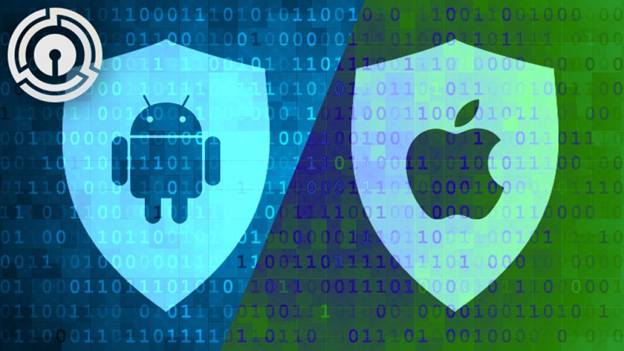
In 2026, the long-standing smartphone rivalry between Apple’s iOS and Google’s Android remains a dead heat. Both operating systems provide sophisticated, high-level experiences that make your selection a matter of personal preference rather than forced brand loyalty. While iOS maintains its polished, curated ecosystem and Android champions open-ended customization, the barriers between them are fading. Thanks to improved cross-platform utilities like Transfer to Android and Move to iOS, vendor lock-in is becoming a relic of the past. But which platform ultimately prevails? Below, we evaluate these mobile operating systems across several categories, declaring a winner or a tie in each before tallying the final results.
Your choice of phone is comparable to the hardware landscape between macOS and Windows. Much like a Mac, Apple’s ecosystem is tied to a single hardware vendor, albeit a premium one. Similar to Windows, Android is not restricted to the parent company’s devices; you can purchase hardware from a wide variety of manufacturers. Consequently, you will find an abundance of Android handsets spanning a vast spectrum of price points and performance capabilities.
You can acquire a capable, budget-friendly Android device, such as the Samsung Galaxy A16 5G, for under $200. In contrast, the most affordable iPhone, the iPhone 16e, starts at $599. At the opposite end of the market, certain configurations of the Samsung Galaxy Z Fold 7—a prime example of the hardware diversity within the Android platform—retail for over $2,000. The priciest Apple handset, the iPhone 17 Pro Max with 2TB of storage, is priced at $1,999.
One final hardware advantage exclusive to Android might influence your decision: you can expand storage on select Android devices.
Android is an operating system designed with customization in mind. You can craft a personalized smartphone environment, provided you are willing to navigate through various menus to reach your desired settings. It offers a broader array of options than you will encounter on an iPhone. For instance, Google’s Material You interface radically updates the OS with overhauled color palettes and syncing capabilities, giving your wallpapers and backgrounds a cohesive look. Furthermore, thanks to generative AI, Android allows you to create Cinematic Wallpapers that bring your home and lock screens to life with striking holographic effects. If you dislike the default icons or layout, you can apply a custom theme with a single tap using third-party launchers. Overall, the personalization freedom offered by Android is incredibly refreshing.
Apple has significantly bolstered its customization capabilities with iOS 26. What was once an elegant but restricted interface has evolved into a highly flexible menu system featuring a sleek, new Liquid Glass design language, free placement for icons and widgets, and color-tinting elements that rival those found on Android. It also introduces Spatial Scenes, an AI-driven feature that converts your standard photos into dynamic, 3D wallpapers similar to Android’s Cinematic Wallpaper. When paired with multi-layered backgrounds, color schemes, and improved, well-designed dynamic widgets, the iPhone interface is now something you can truly make your own.
Due to these advancements, Android and iOS are now quite similar, even if their design philosophies remain distinct. If you desire total control over every facet of your phone’s appearance and functionality, Android’s open ecosystem is difficult to surpass. With a multitude of launchers and icon packs available, you can build a deeply personalized device. If you prefer a cohesive, high-quality aesthetic that seamlessly integrates your personal photos, the Liquid Glass and Spatial Scenes in iOS 26 are superb. The platform delivers powerful and elegant personalization without compromising its signature user experience.
The boundaries have been blurred even further by subsequent iOS 26 updates, which introduced the “Transfer to Android” feature. This allows iPhone users to easily migrate data—including apps, contacts, messages, and photos—to an Android device by placing the two phones side-by-side. You can also perform the reverse migration from Android to iOS using Apple’s Move to iOS app.
In short, you cannot go wrong with either platform, and switching between devices has never been easier.
New wireless technology standards emerge frequently, and Google has been eager to adopt them in recent years. Android was the first mobile OS to support 5G networks. It also beat Apple to the punch regarding support for wireless charging, 4G LTE, and touchless voice commands. Apple typically waits until a new technology is proven before implementation.
Because Android is open, it supports unique hardware like styluses and foldable phones with flexible inner screens and secondary outer displays. However, support for niche handsets can be inconsistent; for example, in 2021, Microsoft launched the dual-screen Surface Duo 2, only to discontinue support for it three years later. These technologies have not always been revolutionary, but Android is frequently an early adopter.
Artificial intelligence is another technology that both Android and iOS have integrated into their systems. Google Gemini leverages a powerful knowledge base to answer queries, launch apps, translate languages, and generate content. With iOS 26, Apple has refined Apple Intelligence, providing significantly enhanced generative tools throughout the entire OS. iOS 26 introduces robust, integrated Live Translation in messages, FaceTime, and Phone, alongside a call-screening feature that provides real-time transcripts. This narrows a major functional gap with Android. Additionally, the Clean Up tool, which functions similarly to Android’s Magic Eraser, allows you to remove unwanted elements from photos by identifying foreground and background features.
Apple is steadily closing the technology gap, but Android remains a step ahead due to its more experimental and versatile generative AI tools.
Apple and Google provide many stock apps that are pre-installed on your phone from the moment you power it on. You will find software for email, web browsing, photo viewing and editing, audio playback and recording, video playback, and document editing. Both operating systems include apps that cannot be uninstalled, but they also allow you to replace stock apps with third-party alternatives. One oversight on the Android side is the lack of a dedicated task or to-do app—the Reminders app on iOS is a sleek and efficient way to stay organized. Google receives partial credit because you can set tasks via Google Calendar, and it offers the Keep app as an optional download during the initial phone setup. It handles to-do lists quite well.
Messaging apps are worth highlighting, as communication is a primary smartphone activity. Apple holds a slight edge over Android here with its robust Messages app, which includes Animoji, Memoji, payments, games, and a dedicated app store. It also features Stickers, an impressively addictive function that lets you transform a photo’s subject into a sticker to use in any Note or Message. In a nice touch, you can quickly convert a messaging session into a voice or video call via FaceTime, and you can also send and receive messages from your Mac.
With the addition of cross-platform end-to-end encryption (E2EE) in iOS 26.5, Apple has effectively matched Android’s primary security advantage in mixed-device chats. iPhone users now benefit from the creative flair of iMessage—such as stickers and reactions—alongside the high-level security of Rich Communication Services (RCS), making Apple’s system the most comprehensive messaging package. However, Android has some tricks of its own that make its Messages app outstanding. Using Messages in any web browser is a brilliant Android-exclusive feature, allowing you to chat easily on a desktop, which is perfect for staying in touch while at work. Both Android and iOS incorporate live translation within their respective messaging apps.
Another essential stock app for any mobile OS is GPS navigation. Google has long been recognized as the premier map service, but Apple has significantly narrowed that lead in recent years with numerous features in Apple Maps, including multi-stop routing and cycling navigation. Google remains more thorough and up-to-date with local information, providing comprehensive Street View coverage. It offers directions for biking, driving, public transportation, and walking.
Both platforms feature excellent health monitoring, news, and podcast apps, but the iPhone is superior for video editing with iMovie and music creation with GarageBand.
Apple features its own Translate app to compete with the market-dominating Google Translate. The search giant’s app supports far more languages than Apple’s, along with tools for identifying text in photos—which is particularly important for languages with an unfamiliar alphabet.
Likewise, Apple has enhanced its Visual Lookup technology to identify items on your iPhone screen, similar to the Circle to Search function on Android devices. These apps allow you to highlight subjects in photos to trigger a Google search. Apple also allows you to query ChatGPT for additional information.
iOS is the better choice if you are invested in Apple’s ecosystem and value seamless integration between devices. However, Android is the superior choice if you prefer customization, desire easy access to Google’s more advanced AI, or rely heavily on Google services.
In the past, apps typically arrived on iOS first before eventually reaching Android. That remains true in some cases, such as Adobe, which launched the tablet version of Photoshop on Apple hardware. However, a few apps now debut on Android first.
Another important differentiator is that Android allows you to install software from non-Google app stores or sideload them, bypassing the official store entirely. Another convenience you won’t find in Apple’s store is the ability to remotely install apps onto your phone from your laptop. If it is an Android app, you can simply visit the Play Store website and initiate the installation from there. With iOS, you must install the app directly using your iPhone.
If you purchase an iPhone, you can be confident that it will receive the latest iOS updates for at least several years. Android’s update support is becoming more widespread, but it still lags behind iOS. To complicate matters, Android OS updates typically launch exclusively on Google Pixel devices. Samsung and other manufacturers receive the respective updates weeks or months later, leading to further fragmentation. This is exacerbated by Google’s adoption of a quarterly update rollout, meaning improvements are staggered throughout the year. Android’s fragmentation is a mess.
Neither company’s developer site reveals the market share of the most recently released versions. According to Statcounter.com, Android 15, the most popular version of the OS, powers approximately 29% of Google devices. Conversely, last year’s iOS 18 was installed on 88% of iPhones, making iOS adoption an order of magnitude higher than Android’s. That is a victory for iOS and a persistent problem for Android.
There are multiple Android versions because the OS is open, leading to inconsistencies in development, management, and security. The latter is a major concern because such disparate support makes it harder to ensure compliance and data protection.
Because phone manufacturers heavily customize Android, incorporating all the best software features into a single device is a challenging task. It is common to see OnePlus, Pixel, and Samsung devices with tools that are not standardized across the Android OS until much later. For example, Samsung introduced Single Take in 2020, a camera function that uses AI to capture multiple photos and create a composite of the best shots. Google introduced Best Take, a similar function, in 2023, but only on Pixel 8 and newer models.
Mobile operating systems have decent records and security safeguards, but Android, being more open, has more avenues for malware to enter your phone. In particular, apps are more likely to cause trouble on Android, especially if you install them from an alternative app store.
Privacy has been a focus in recent Android versions, with several new protections against third-party app abuses. For example, apps must ask for permission before sending you notifications. Android allows you to grant one-time access to location and other private data, but iOS lets you share your approximate location with apps rather than your exact location. Since Google’s entire business model revolves around gathering information about each user, it is difficult for the search and advertising company to compete with Apple, whose profit model does not involve surveillance or profiling. This is not to say that privacy-compromising apps cannot appear on iPhones as well.
Android also features Private Space, a PIN-secured hidden drawer that lets you store sensitive apps and data, such as banking and dating applications. It is essentially a digital safe that others cannot access. You can link a Private Space to a second Google account for added security, creating a separate profile for your Android device. Apps moved to Private Space do not appear in your app list, notifications, recently viewed apps section, or settings.
Apple and Google have overhauled their messaging encryption in recent updates. Both companies have collaborated on a new industry standard—GSMA RCS Universal Profile 3.0—to ensure end-to-end encryption across both platforms. This enhances cross-platform security and messaging functionality, marking a huge win for user privacy.
That said, Apple’s closed ecosystem remains the safer choice for security.
iOS offers superior ecosystem integration due to Apple’s tight control over both hardware and software, resulting in seamless features like Handoff and Universal Clipboard. Android offers more device and OS flexibility due to its open nature and wider range of hardware choices, but as noted in the fragmentation section, this can result in inconsistent experiences and optimization issues.
Both operating systems feature cross-device support, but Apple leads the charge here. For example, Apple’s Continuity Camera enables your iPhone to function as a webcam for your Mac. Likewise, Handoff lets you start work on one Apple device and pick up where you left off on another.
Apple’s other Continuity features are hard to beat, but thanks to the Windows Phone Link app and Android’s cross-device connectivity, you can connect an Android phone with PCs just as effectively as iPhones connect with Macs. That even includes making calls. These capabilities depend on your phone model, with Samsung handsets receiving preference. Additionally, Google has made notable improvements to app streaming. You can now stream apps between Android devices and Chromebooks, allowing you to respond to notifications or browse YouTube. This new feature is not quite as robust or polished as Apple’s Continuity tools, but it is a step in the right direction.
Apple’s device ecosystem includes far more than just laptops and phones. iOS ties in neatly with the Apple Watch, Apple TV, HomePod smart speaker, and iPads. Google has its equivalents, but they lack Apple’s polish. However, the Google Nest line generally exceeds Apple’s Siri-powered devices in our ratings, and third-party Google Assistant speakers are available from brands like Bose and Sonos.
Smartphone cameras—and their photo-processing apps—have recently been a focus of new smartphone and mobile OS releases. In either system, you can find excellent camera options, including multiple-lens systems. Do not get bogged down in megapixels, however; even though you can find Android phones with super-high megapixel counts—the Samsung Galaxy S25 Ultra can shoot at 200 megapixels—that number is less important than the camera sensor itself.
The operating systems also feature impressive photo enhancement software to make your pictures look even better than the sensor and lenses are capable of on their own. Both can add bokeh (background blur) to a portrait and provide features such as slow-motion, panorama, low-light, and time-lapse shooting. Android allows you to create 360-degree photos, whereas iOS users require a separate app for this feature. Otherwise, Android and iOS are similar in terms of photo functionality.
Android leverages Google Lens to help you identify items, shop online, translate text, and scan documents. iOS applies its expanded Live Text function to the same end, bringing that feature to video. Your iPhone can also recognize image subjects. Called Visual Look Up, this feature identifies objects and subjects in a photograph, letting you isolate them from their background for use as a separate image or sticker. It also provides additional information about the subject, pulled from the web.
Both operating systems allow you to save raw camera files, which photographers will certainly appreciate, so you no longer need third-party apps like the excellent Adobe Lightroom Classic, which is available on both platforms.
AI functionality has also made its mark in Photos. Android lets you touch up and remove photo elements using Clean Up and Magic Eraser. Although one is not necessarily better than the other, Magic Eraser excels at removing larger unwanted objects, while Clean Up delivers more polished overall results.
Apple’s Siri and Google Gemini let you perform actions using your voice. Both are easy to invoke and support a wake word.
Siri has improved at recognizing your speech if you misspeak or change your inquiry mid-sentence. It can answer device-specific questions without automatically referring you to the web, which was a particular nuisance with earlier iterations. Siri also features more natural and less robotic voice options that are easier on the ears.
In addition, Siri can perform Automations and Shortcuts. Shortcuts launch actions based on triggers, such as telling Siri to activate a specific Focus mode. Automations are also shortcuts, but they are triggered by an event. For example, you can create a morning automation that reads you the current weather forecast and calendar events for the day when you stop your morning alarm.
In comparison, Pixel devices use the Gemini Nano model for on-device voice assistance. Pixels also link to the Gemini 3 Pro model in the cloud for demanding AI tasks. However, you do not explicitly need a Pixel device to use Gemini: it works with phones and tablets running Android 10 and up, provided they have at least 2GB of RAM. For example, you can ask it to play a particular show on Netflix, send a message, summarize a web page, or check your grammar.
Both assistants tie into rich smart home ecosystems—Android with Google Home and Siri with Apple HomeKit devices—so you can rest assured that you will be able to turn up the heat, raise the shades, or open the garage door, assuming you have the requisite smart appliances. You can use Google Gemini and Google Home on an iPhone, but you can use Siri only on Apple products.
Android takes the lead here, at least until Apple releases Siri 2.0. Whenever that is.
Android and iOS both offer comprehensive parental controls, but the primary difference is that Android allows for the easier and more complete installation of third-party parental control software. iOS has deeper built-in parental controls.
According to Apple’s support pages, you can use its Screen Time feature to “block or limit specific apps and features on your child’s device” and “restrict the settings on your iPhone, iPad, or iPod touch for explicit content, purchases and downloads, and privacy.” As its name suggests, you can keep tabs on how much time a child spends on apps and the web. You can also view detailed reports on all activity. Parents can configure limits for children using the Family Sharing feature and lock them down with a passcode that only the parent knows. They can also set communication limits, allowing only calls, messages, and FaceTimes with specific contacts.
When setting up an Android phone, the first step is to choose whether it will be a parent’s or a child’s device. As mentioned, Android does not limit you to its own parental controls, allowing you to use third-party options like Aura and Bark. Google’s Family Link app allows parents to view their kids’ activity, approve app downloads, set screen time limits, lock their device, and track their location.
Apple provides stronger built-in parental features, but Android has the advantage of allowing third-party solutions. It is a wash.
Apple and Google have expanded their gaming capabilities, with large libraries of casual and near-console-level games. Both allow you to subscribe to a selection of titles rather than purchasing them separately. Apple has Apple Arcade ($6.99 per month), while Google has Google Play Pass ($4.99 per month). The subscriptions lack ads, and Play Pass includes some non-game apps from lesser-known developers.
However, Apple has gone a step further by making a major gaming push across its various devices, including iPhones. In fact, iOS 26 introduces a unified Games app, which acts as a central hub for managing all your games and connecting with friends who also use Apple products. A surprising number of high-quality games, such as Death Stranding: Director’s Cut and Resident Evil 4 Remake, made their way to Apple’s platforms. These titles are tied to your Apple account and are cross-compatible with other Apple devices, which is especially convenient. Android lacks these high-profile releases.
Additionally, Android and iOS incorporate augmented reality (AR) and virtual reality (VR) technologies. The iOS App Store has a diverse selection of VR apps and VR games that can be explored on the Apple Vision Pro and compatible VR headsets.
Google abandoned its promising Daydream VR and Tango AR initiatives, but work on ARCore, an augmented reality technology, continues. The company has a dozen projects letting developers build apps using the technology. The smartphone Camera app’s Playground mode features nifty 3D animations that seamlessly blend into the real world. Google Lens leverages AR to overlay nearby shopping and dining establishments.
Two of the previous sections are relevant here: Fragmentation and Security. Both are wins for iOS, as IT departments want a unified platform. However, other important considerations exist when choosing a smartphone platform for business. For some businesses, Android’s open architecture is preferable, letting them create apps that access system features more deeply and widely. For example, Android lets third-party services take over the phone for parental control, whereas Apple does not.
Both operating systems can run Google Docs and Microsoft Office, so that is not a differentiator. Likewise, the Phone Link app is available for both platforms, allowing you to synchronize your smartphone with your Windows PC to access your phone’s content on your computer. It is too close to call.
Apple and Google added features to their mobile operating systems that help people with disabilities use their phones. Android has Live Transcribe, which enables people who are deaf or hard of hearing to read what is being said in real-time. The OS also features TalkBack, a tool that speaks aloud what is on the screen; Lookout to notify you of what is in view; and Voice Access for controlling your phone by speaking. Android supports external switches and lets you reprogram phone buttons. It recently added per-app language personalization, which is superb for multilingual users, even if the feature is not as app-ubiquitous as we would have liked.
Apple provides several similar accessibility features, including Back Tap, Dictation, Live Caption, Pointer Control, VoiceOver, and Sound Recognition. There are Made for iPhone hearing aids, and the platform supports external hardware switch controllers, such as the AbleNet TrackerPro hands-free mouse, which follows head movements.
Both platforms offer third-party accessibility apps, including Be My Eyes, AccessAble, and TapTapSee. In short, Android and iOS are terrific for accessibility, so you cannot go wrong with either.
The near parity between Apple and Google is hardly surprising when you consider how the platforms have been matching features and polishing their interfaces for years. Still, iOS comes out on top in 2026 primarily due to its cohesive user experience, excellent ecosystem integration, terrific games, and sleek Liquid Glass visual overhaul. Android’s open-source nature affords it far greater flexibility and customization, which improves with every OS update. However, Android can also feel like a collection of disparate tools, made all the more inconsistent due to the platform’s heavy fragmentation. For those reasons and more, Apple iOS 26 reigns as the mobile OS champion.















One thought on “Which OS Dominates in the 2026 Smartphone War?”